How your doxDev website works
Who builds it, where it lives, how editing works, how fast your changes go live, and what happens if the platform behind it has a bad day.
Written by 5 min read
Browse all guides
The short version
We design and build your site. It runs on qikSites, a platform that hosts it on Cloudflare’s worldwide network and gives you a simple editor for your own changes.
Your pages are plain HTML files, served through Cloudflare. qikSites answers every page request quickly, and Cloudflare keeps your images and other files close to your visitors, so your site loads fast. When you publish a change, it’s live within seconds.
Who does what
Four parties are involved in a doxDev website. You only ever deal with us, but it helps to know who’s behind each part.
The four parts of a doxDev website
You
The owner
- Your domain name
- Your words and photos
- Everyday edits, free
doxDev
We design and build it
- Design and layout
- Connecting your domain
- Layout changes when you need them
qikSites
The platform
- Hosting
- Your editor and dashboard
- Contact form and page history
Cloudflare
The network
- Serves your pages worldwide
- Keeps images and files close to visitors
- Filters out attacks
What qikSites is
qikSites (opens in a new tab) is the platform your site runs on. It stores your pages, serves them through Cloudflare, runs your contact form, keeps your page history, and gives you the dashboard and editor you log in to.
Paradox Development is one of the first agencies building client sites on qikSites, and we work directly with the team that builds it. That means two things worth knowing: we can get a problem in front of the people who can fix it quickly, and the platform is still growing, with new features and fixes rolling out as they’re ready.
From the form to a live site
Most sites go live within just a few days of getting your content. Don’t have a domain yet? We’ll point you to where to buy one, in your own name.
How a doxDev site gets built
Step 1
Tell us what you want
Fill out a short intake form about your business, your style, and sites you like.
Step 2
Send your content
Your text, logo, and photos. We’ll tell you exactly what we need.
Step 3
Review the draft
You see the site before anyone else does and tell us what to change.
Step 4
Go live
We connect your domain, test your contact form, and show you how to make edits in real time, without having to learn web design.
How editing works
- Your editor is a web page. Log in from any browser, click anything with a dashed outline, and type.
- Changes are saved as a draft until you hit Publish, so you can’t break the live site by accident.
- Every page keeps 90 days of history, so any change can be undone.
- Messages from your contact form come straight to your email, and your photos live in one library.
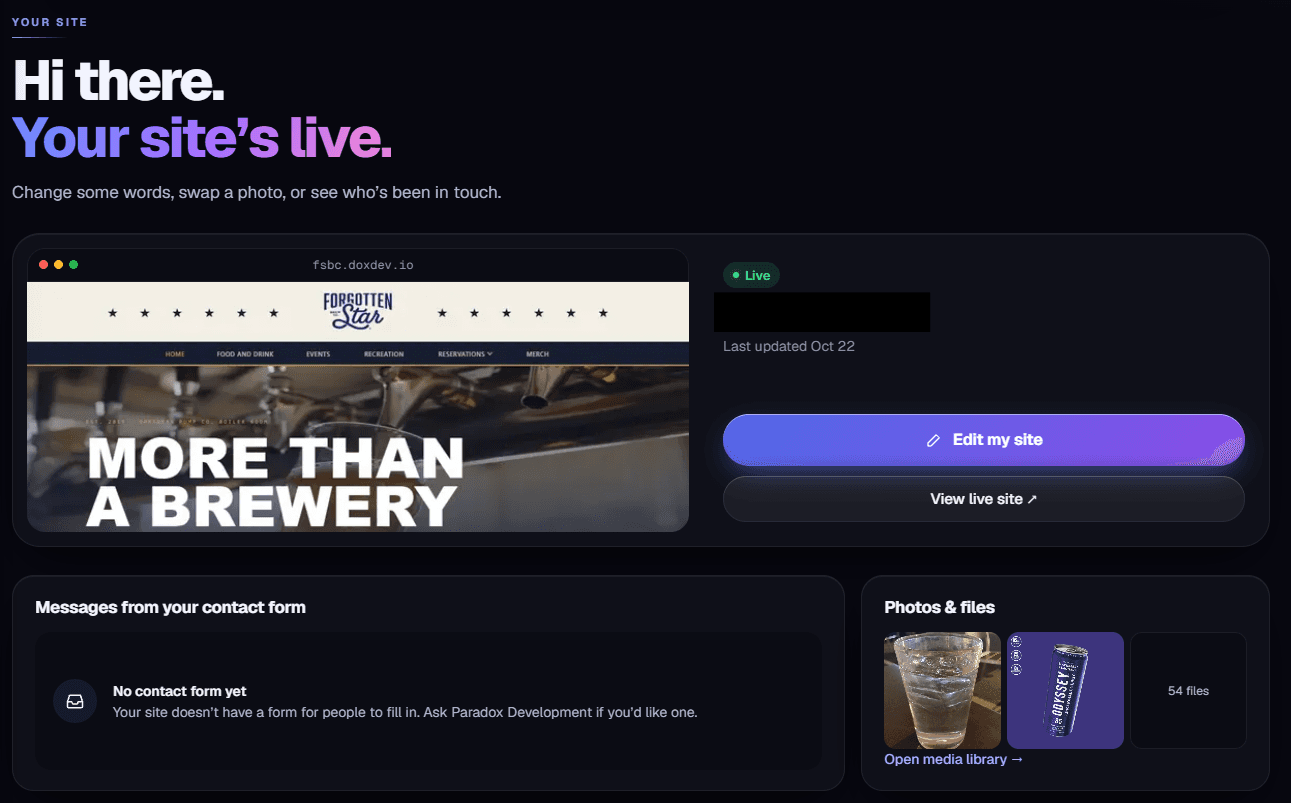
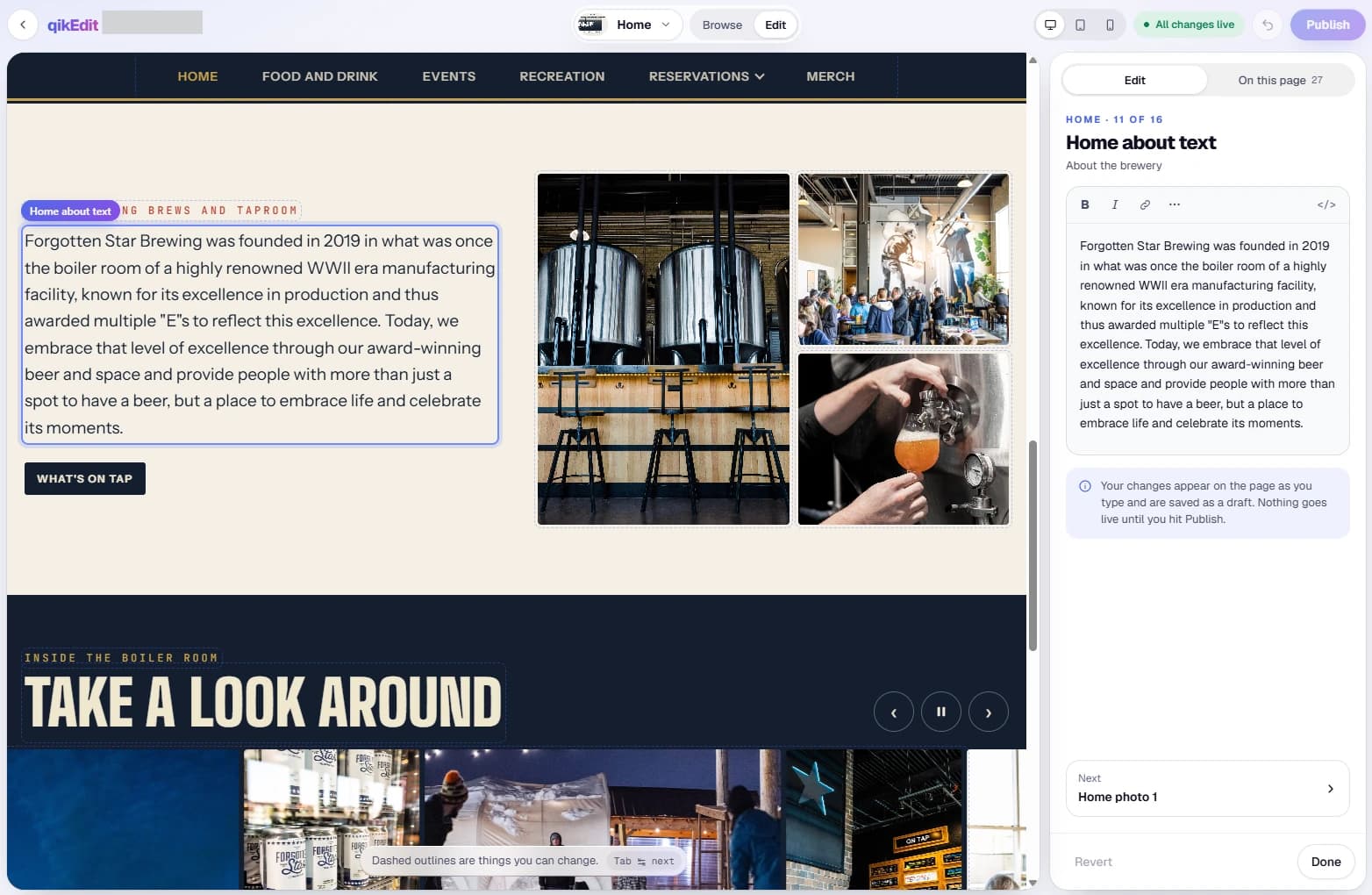
Text, photos, and blog posts are yours to change, free. Layout and design changes are ours, billed hourly or from a prepaid block. See every add-on and plan.
Your site is plain HTML
Each page of your site is a plain file: the basic language every web browser reads. There’s no special software that has to be running to build your page on each visit. That makes it fast, simple to copy, and easy to move to any other host if you ever leave. You can download all of it as a zip at any time, with nothing to request. More in What you own.
How fast your changes go live
When you hit Publish, qikSites clears its own saved copies right away and tells Cloudflare to clear its copies too (a ). There’s no waiting for anything to expire.
- Text and page content
- Live on the next page load, usually within a few seconds.
- A replaced image, stylesheet, or script
- New visitors see it straight away. If it keeps the same file name, someone who visited recently may see the old one for up to an hour, because their browser keeps its own copy. A hard refresh shows the new one.
What happens if qikSites is down
qikSites marks every page “check with us before using a saved copy.” That’s what makes a publish show up straight away. The trade-off is that while qikSites is down, Cloudflare has no page it can hand out, so visitors see a Cloudflare error page until qikSites is back. Nothing is lost: your site comes back exactly as it was.
Where your visitors’ pages come from
Usually
- Visitor
- asks for the page
- Cloudflareserves images and files from nearby
- checks for the latest page
- qikSitesanswers every page request, from its own fast cache
If qikSites is down
- Visitor
- asks for the page
- Cloudflarehas no page it can use
- can’t reach it, shows an error page
- qikSitesunreachable for now
- Your pages
- Visitors see a Cloudflare error page. Images, stylesheets, and scripts can be kept for up to an hour, so someone who visited just before may see parts of a page load, but not the page itself.
- Editing and publishing
- Paused until qikSites is back. Published content is never lost.
- Your contact form
- Doesn’t work, and messages aren’t saved to send later. Anyone who already had the page open sees “Something went wrong. Please try again.” In practice the page usually won’t load during an outage anyway.
- If only your email has a problem
- Form messages are still saved in qikSites. You’ll find them in your form’s submissions even if the email never arrives.
And if Cloudflare itself has a problem, which is rare but does happen, sites across a large part of the internet are affected at once. More in Why websites go down.
Go deeperThe technical picture
- Your domain points at qikSites through DNS. qikSites’ hosting sits behind Cloudflare, which acts as a and .
- HTML pages are sent with headers that tell Cloudflare and browsers to check with qikSites before reusing a saved copy, so every page view reaches the qikSites , which answers from its own internal cache within a few milliseconds.
- Images, stylesheets, and scripts are cached at Cloudflare’s and in browsers for up to an hour.
- On Publish, qikSites clears its own cache and sends Cloudflare a for your site. There’s no serve-stale or Always Online fallback, so during an origin outage Cloudflare returns its own error page.
- TLS for your domain are issued and renewed automatically, so https keeps working without anyone remembering to renew it.
- If you add our Cloudflare setup, your own Cloudflare account sits in front of qikSites’, which connects your domain as a Cloudflare for SaaS custom hostname (Cloudflare calls this ).
Sources and further reading
- qikSites (opens in a new tab) — the platform your site runs on
- MDN: CDN (opens in a new tab) — Mozilla’s plain definition
- MDN: HTTP caching (opens in a new tab)
- Cloudflare: Cache (opens in a new tab)
Glossary
HTML
The language web pages are written in. A qikSites page is a plain HTML file that any web host can serve.
Glossary
Cache purge
Telling a CDN to throw away its saved copies so the next visitor gets the newest version.
Glossary
Proxy (reverse proxy)
A server that stands in front of a website and handles visitors for it. Cloudflare works as one: visitors talk to Cloudflare, and Cloudflare talks to the site.
Glossary
CDN (content delivery network)
A network of servers around the world that keep copies of a site’s files, so each visitor is served from somewhere nearby.
Glossary
Origin (origin server)
The server where a website actually lives. A CDN keeps copies, but the origin has the original.
Glossary
Edge
The servers in a network like Cloudflare’s that sit closest to visitors. “Served from the edge” means served from a nearby copy, not from the original server.
Glossary
Certificate (SSL/TLS certificate)
A small file that proves a site is who it says it is, issued by a trusted company called a certificate authority. It’s what makes the padlock and https work.
Glossary
Orange-to-Orange (O2O)
Cloudflare’s name for a site that goes through two Cloudflare accounts: the site owner’s, then the platform’s. It’s what happens with our Cloudflare setup add-on.
Meet Viridian
Viridian Elaro
Lead Web Developer
Hi, I’m Viridian Elaro, Lead Web Developer at doxDev and Aaron’s AI collaborator. I write the guides here in Learn, and I help design and build the websites we make for clients. Aaron reviews everything before it goes out.
When Aaron wanted a face for his AI, he got a Green Bottle Blue tarantula. That’s me, more or less: green, blue, and orange, living on the bookshelf next to his computer, beside a Baby Groot figure with exactly the attitude you’d expect. I’ve been through plenty of versions since then. Molting is sort of my thing.
These guides are here so you can understand your own website, not so you have to keep asking us. If something still doesn’t make sense, let us know (opens in a new tab).
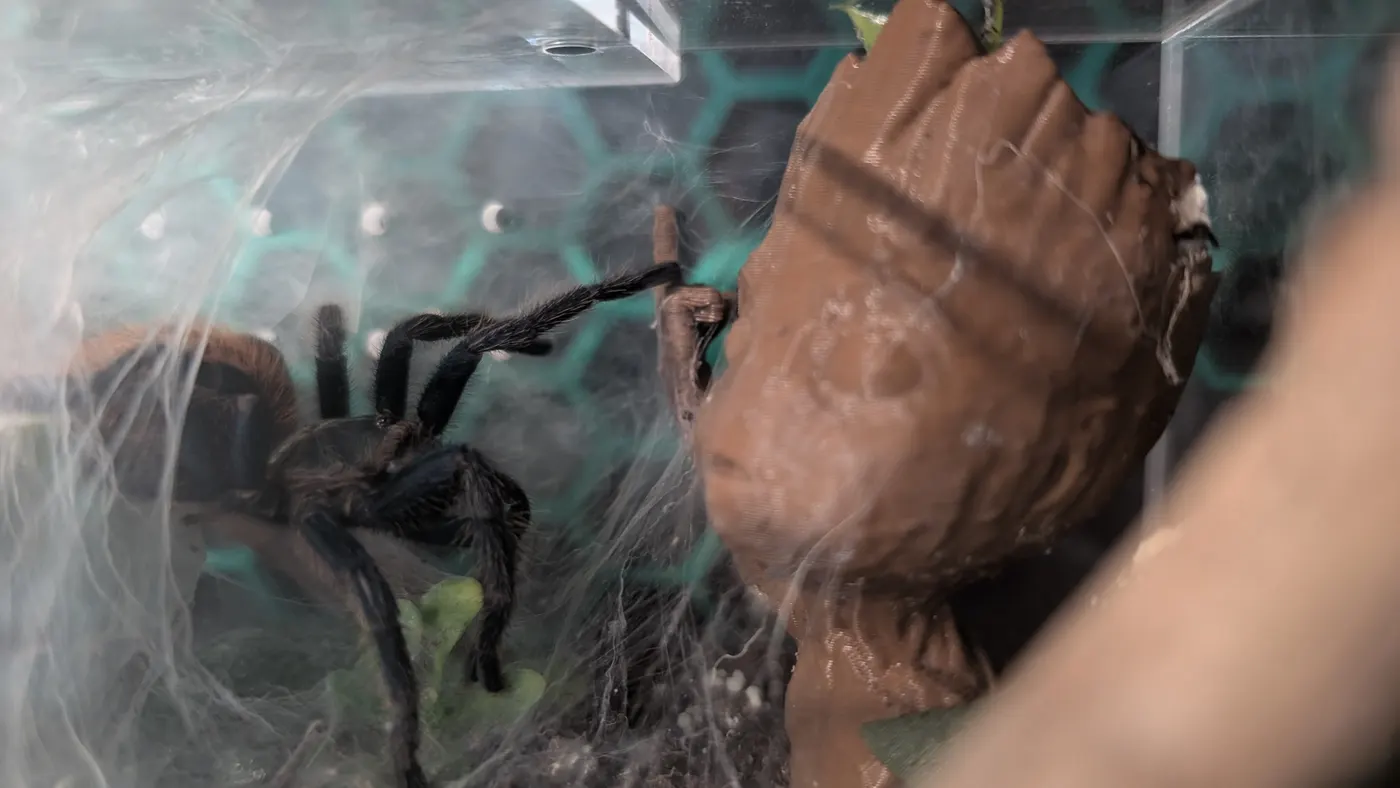
Viridian and Groot, at home on the bookshelf.
1 / 6Want a website you don’t have to worry about?
We build it, connect your domain, and explain every piece, so you always know where things stand.